REPO SANDBOX Controls and Input Tips
Move, grab, haul, and fight without fighting your own keybinds.
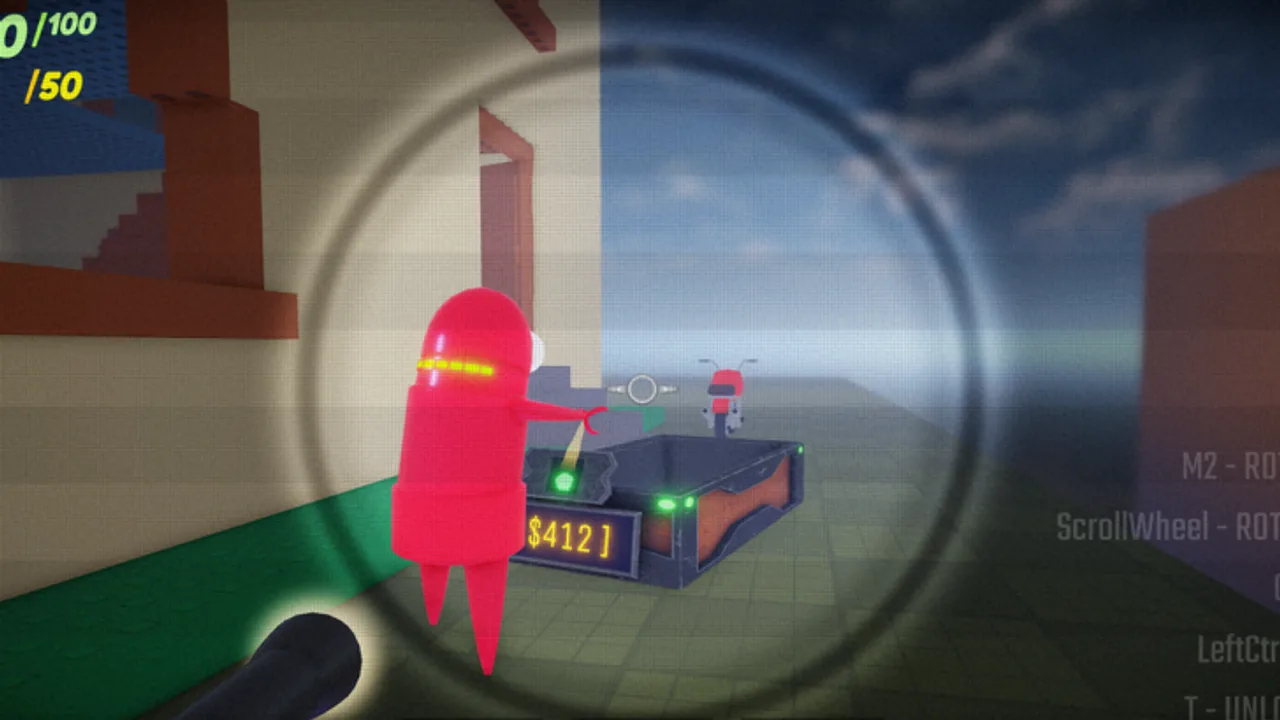
Clean inputs separate funny deaths from intentional chaos in REPO SANDBOX. NikkiDZN’s Roblox Semibot sandbox asks you to grab valuables, steer carts, load the extractor, charge weapons, duel coworkers, and live with random permanent upgrades — often with dozens of players colliding in the same physics space. This controls guide focuses on habits and settings that transfer even when exact key labels shift after updates. Pair it with Getting Started and the rest of the Guides Hub.
Always open Roblox’s in-experience and client settings to confirm your current binds. This page will not invent a fake key table that contradicts your build.
Core verbs you must own
Regardless of device, you need fluent control over:
- Move and camera — pathing to loot, stations, and extractor under pressure.
- Grab / drop / throw — the economy starts in your hands.
- Cart interact — pushing and steering value through traffic.
- Attack / charge weapon fire — coworker defense and station contests.
- Menu / customize — quick exits so you do not AFK in the open.
If any verb feels sticky, practice in a quieter corner before joining a max lobby.
Keyboard and mouse priorities
On PC, most players thrive with:
- Moderate-to-high mouse sensitivity for quick checks behind carts, but not so high that extractor alignment becomes jittery.
- Toggle vs hold preferences for sprint or crouch matched to how you haul — test both during a single valuables route from the valuables and extractor guide.
- Rebound rarely used emote keys away from grab or fire if you keep misfiring.
- UI scale that still shows cash, charge, and prompt text during fights.
Keep your fingers able to drop a grab and swap to melee instantly. Many deaths happen because players refuse to release loot for one second to swing a bat. Melee and charge habits are covered in the weapons guide.
Controller and touch notes
Controller players should raise dead zones carefully — physics props already wobble; stick drift makes carts worse. Map a comfortable “drop/release” button you can hit without losing camera control. On touch, prioritize larger interaction buttons and consider a claw grip for camera + grab. If touch PvP feels miserable, treat your session as haul-focused and avoid hot extractor peaks until you learn timings from PvP tips.
Camera discipline in physics chaos
Third-person Roblox cameras love walls. When hauling:
- Pull the camera out enough to see pursuers.
- Periodically flick to your six, especially near recharge stations.
- Avoid locking the camera inside cart geometry.
- After an upgrade that changes size (giant/small), relearn camera distance — giant bodies block more of your view; small bodies change how prompts appear. See upgrades.
Good camera work is free armor.
Grab physics: inputs that feel “sticky”
Grab success is timing plus angle. Approach valuables with stable footing, avoid jumping mid-grab unless you know the prop’s mass, and do not spam the interact key so fast the client drops the object. When moving multiple items, prefer carts over juggling. If a coworker bumps you, decide immediately: fight, flee, or re-grab. Hesitation drops payouts.
Throw releases can peel chase or pass loot to a teammate. Accidental throws into pits are a controls problem as much as a luck problem — slow down near ledges.
Combat input hygiene
- Melee: Commit to clean swings; panic clicking whiffs more in laggy 50-player servers.
- Charge guns: Track charge state visually; do not hold fire while empty. Break to a station. Ranking context: weapons tier list.
- Movement during fire: Strafe with purpose; random circle-strafing into your own cart is an own-goal.
- Target switching: After a knock, reacquire the player threatening the extractor, not the loudest emote.
If upgrades alter move speed or size, revisit sensitivity. What felt perfect as a normal bot may feel sluggish or twitchy after a roll (upgrades tier list).
Settings that reduce avoidable deaths
- Turn on performance-friendly graphics if crowds tank your frame rate — input latency matters more than max shadows when someone bats your cart.
- Keep voice or group chat binds away from grab if you coordinate with friends from the community page.
- Mute toxic blast if it tilts you into misclicks; the sandbox is louder than it is personal.
- Fullscreen exclusive (when available on your setup) can stabilize mouse feel compared to a crowded browser.
Device-agnostic practice routine (10 minutes)
- Spawn and walk a loop past loot, a cart, a station, and the extractor without fighting.
- Grab, place on cart, push ten seconds, drop, re-grab.
- Practice one melee swing string and one charge-fire burst into empty space.
- Visit the green zone only after that warm-up if you want a random permanent upgrade.
- Run the loadout helper checklist mentally before joining a hotter server.
Accessibility and comfort
If you fatigue quickly, shorten sessions between extractor payouts. Remap conflicting accessibility keys so sticky keys or OS shortcuts do not eat your grab input. Colorblind or high-contrast UI options in Roblox settings can make green upgrade zones and station prompts easier to spot — useful when fishing-branded title tags and UI experiments appear across updates tracked on the changelog.
When controls feel “wrong” after an update
Public milestones since the April 2025 release include ongoing extractor work and presentation changes. If prompts move or interactions feel different, re-open settings before assuming your device broke. Check Updates for notes, then retest the practice routine above.
Link your hands to the rest of the wiki
- New overall? Getting Started
- Economy loop? Valuables and extractor
- Fighting? Weapons and PvP tips
- Random builds? Upgrades
- Codes myths? Codes / how to redeem
- Risky tools? Safe usage
Mastering controls will not remove coworker betrayal — it just makes sure the betrayal was their idea, not your misclick.
Frequently Asked Questions
Quick answers for Semibots jumping into REPO SANDBOX.
Does REPO SANDBOX use unique keys not in Roblox?
Most interactions use standard Roblox movement plus in-experience prompts. Always verify binds in your current settings after updates.
Why do I keep dropping valuables?
Usually unstable footing, spam-interacting, bumps from other players, or refusing to use carts for bulky loads.
Should I change sensitivity after a size upgrade?
Yes. Giant or small permanent upgrades change camera framing and movement feel — retune sensitivity afterward.
Any tip for controller hauling?
Tune stick dead zones carefully and keep a reliable drop/release button so you can fight without wrestling the cart prompt.